How do you optimize a Google Business Profile? Claim and verify the profile, use your real business name, choose the most specific primary category, fill in every service, hours and attribute, write a clear 750-character description, add real photos every month, ask every happy customer for a review and answer all reviews, and keep your name, address and phone number identical everywhere online. Google ranks local results on relevance, distance and prominence, so optimization improves the first and third. Distance depends on where you are.
Picture a customer standing in a parking lot in Canton, typing “tire shop near me” into her phone. Google answers in less than a second with a map and three businesses. She taps one of them and calls. The shop that ranked fourth never knew she existed.
That moment, repeated thousands of times a day across Illinois, is why Google Business Profile optimization matters. Your profile is the free listing that appears in Google Search and Google Maps. For most local businesses it is seen before the website is.
This guide is a working checklist, not a theory lesson. You will learn how Google decides who appears in the map results, 10 steps to optimize your profile, a free 20-point health score to test your own listing, a 30-day plan, and review and photo templates you can copy. It is written for owners in Canton, Fulton County and across Illinois, and the steps work anywhere in the US.
Want an expert to review your profile?
Send us your business name and we will tell you what is helping and what is holding your Google Maps ranking back. No cost, no obligation.
What Is a Google Business Profile?
A Google Business Profile (GBP) is a free listing that shows your business name, address or service area, phone number, hours, photos, reviews and website link in Google Search and Google Maps. It used to be called Google My Business, and many people still search for it by that name.
Four terms come up again and again in local SEO. Here they are in plain words:
- Map pack: the group of three businesses Google shows above regular results for local searches.
- NAP: your business name, address and phone number. Keeping it identical across the web is called NAP consistency.
- Primary category: the one label that best describes what your business is, such as “Roofing contractor.”
- Service-area business: a business that travels to customers, such as a plumber or cleaner, and does not serve people at its own address.
How Google Ranks Local Results in Maps
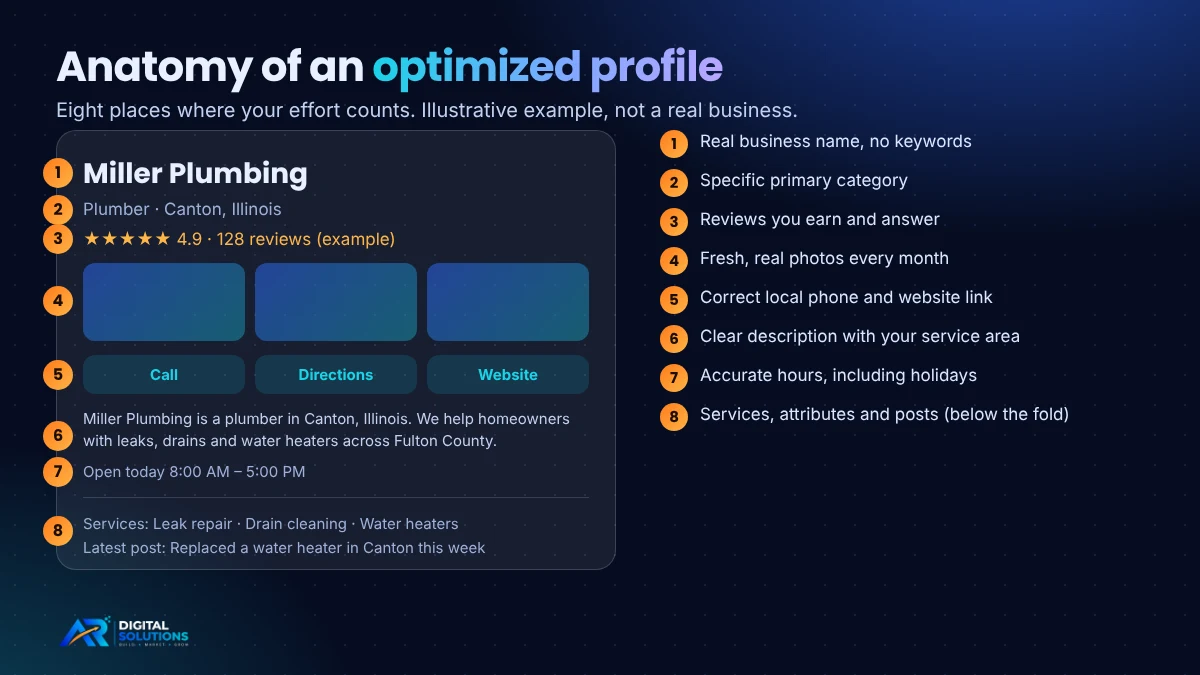
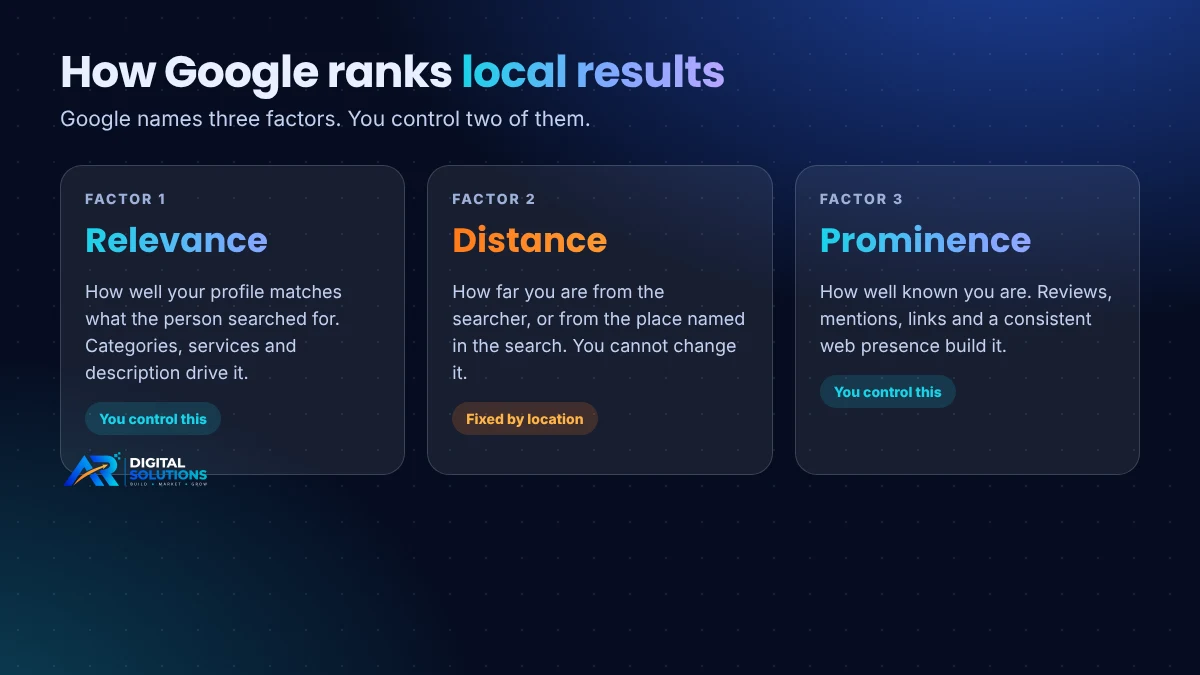
Google says local results are based mainly on three factors: relevance, distance and prominence. Google also states there is no way to request or pay for a better local ranking. That rules out shortcuts and tells you where to spend your effort.
Relevance: does your profile match the search?
Relevance is built from your categories, services, description and the words people use in reviews. A profile that says “Contractor” is vague. A profile that says “Roofing contractor” with services such as shingle replacement and storm damage repair is easy for Google to match.
Distance: how close are you?
Distance is measured from the searcher, or from the place named in the search. You cannot change it, so do not waste effort fighting it. A shop in Canton will naturally show up more often for people in Canton than for people in Peoria.
Prominence: how well known are you?
Prominence reflects how widely your business is known, based on reviews, mentions across the web, links and your overall presence. This is where steady work pays off, because every genuine review and every accurate listing adds to it.
Local SEO researchers noted that after Google’s December 2021 “Vicinity” update, proximity carried more weight and keywords in business names helped less. The lesson holds today: be accurate, be specific and be real.
Google Business Profile Optimization Checklist: 10 Steps
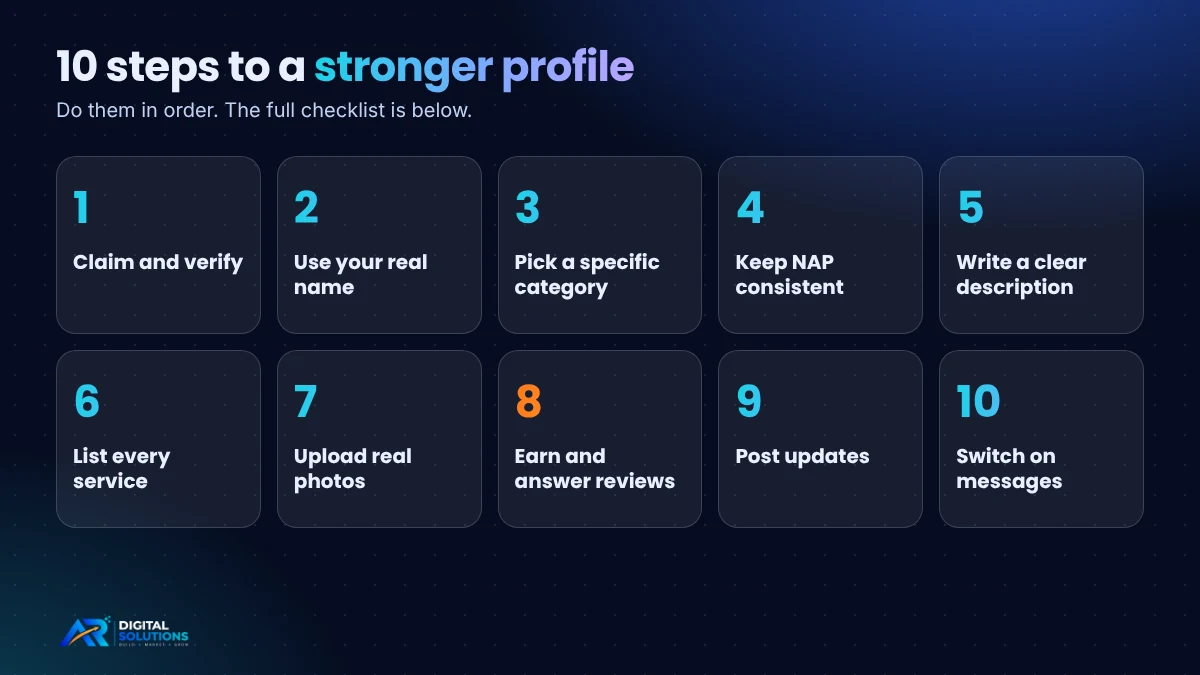
Work through these in order. Each step ends with a short “Do this” line you can act on today.
1Claim and verify your profile
Search for your business on Google Maps first. If a listing exists, claim it instead of creating a second one, because Google allows one profile per location and duplicates cause confusion and suspensions. Then complete verification, since an unverified profile cannot be fully managed.
Do this: your business needs a real, in-person connection with customers. Virtual offices and PO boxes do not qualify.
2Use your real business name
Your name should match what appears on your sign, invoices and website. Adding keywords or a city name is against Google’s guidelines and can get a profile suspended. “Miller Plumbing” is correct. “Miller Plumbing | Best Plumber Canton IL | 24/7” is not.
Do this: compare your profile name with your storefront sign. If they differ, fix the profile.
3Pick the most specific primary category
The primary category is one of the strongest relevance signals you control. Choose the narrowest accurate option, then add secondary categories only for services you truly offer.
Do this: search your main service on Google, open the top three local results and note which primary category each uses. Choose the closest match for yours.
4Make your name, address and phone consistent
Google compares your details across your website, social profiles and directories. “Street” in one place and “St.” in another, or an old phone number on a directory, creates doubt. Use a local number with an Illinois area code rather than a toll-free line, and link to a website page that represents your location.
Do this: write your NAP once in a document and copy it exactly into every listing.
5Write a description for people, not robots
You have 750 characters, and only the opening lines show before “more,” so lead with who you are and what you do. Mention the places you serve in a natural way. Google does not allow links, promotions or sales language here.
Do this: use this pattern and fill it in: “[Business] is a [category] in [town], Illinois. We help [type of customer] with [top 3 services]. We serve [towns].”
6Add every service, product and attribute
List each service with a plain one- or two-line description. This tells Google exactly which searches you should appear for. Add attributes that apply to you, such as wheelchair-accessible entrance, online appointments or women-owned, and keep hours accurate, including holidays.
Do this: open your profile and count your listed services. If it is fewer than you actually offer, add the rest.
7Upload real photos and short videos
Real images of your building, team and finished work build trust faster than stock photos. Add a few every month rather than uploading everything once and stopping. See the shot list below for what to take.
Do this: set a reminder to add three new photos on the first of every month.
8Earn and answer reviews
Reviews are a major part of prominence and the first thing many customers read. Ask every happy customer, use your direct review link, and answer every review. Never pay for reviews, offer gifts for them, or write fake ones, because Google prohibits all three.
Do this: copy the templates in the review playbook section below.
9Post updates
Google Posts let you share offers, news and projects on your profile. Google does not list posts as a ranking factor, but they keep your listing active and give customers a reason to call. Aim for one or two short posts a month with a clear photo and a button.
Do this: post a finished job with one sentence on the problem you solved.
10Turn on messages and watch questions
Customers can message you or ask questions on your profile. A fast reply often decides who gets the job. Check the questions section regularly, since anyone can post there.
Do this: install the Google Maps or Business Profile app on your phone and switch on notifications.
Free Tool: Your Google Business Profile Health Score
Tick every statement that is true for your profile today. You will get a score out of 20 and a clear next step.
How to read your score: 0 to 8 means the basics are missing, so start with Steps 1 to 6. A score of 9 to 14 means you have a solid base and should focus on photos, reviews and posts. A score of 15 to 18 is strong, so keep up the monthly routine. A perfect 19 or 20 means you are doing what most competitors skip. This score is a practical self-check we designed for this guide. It is not a Google metric.
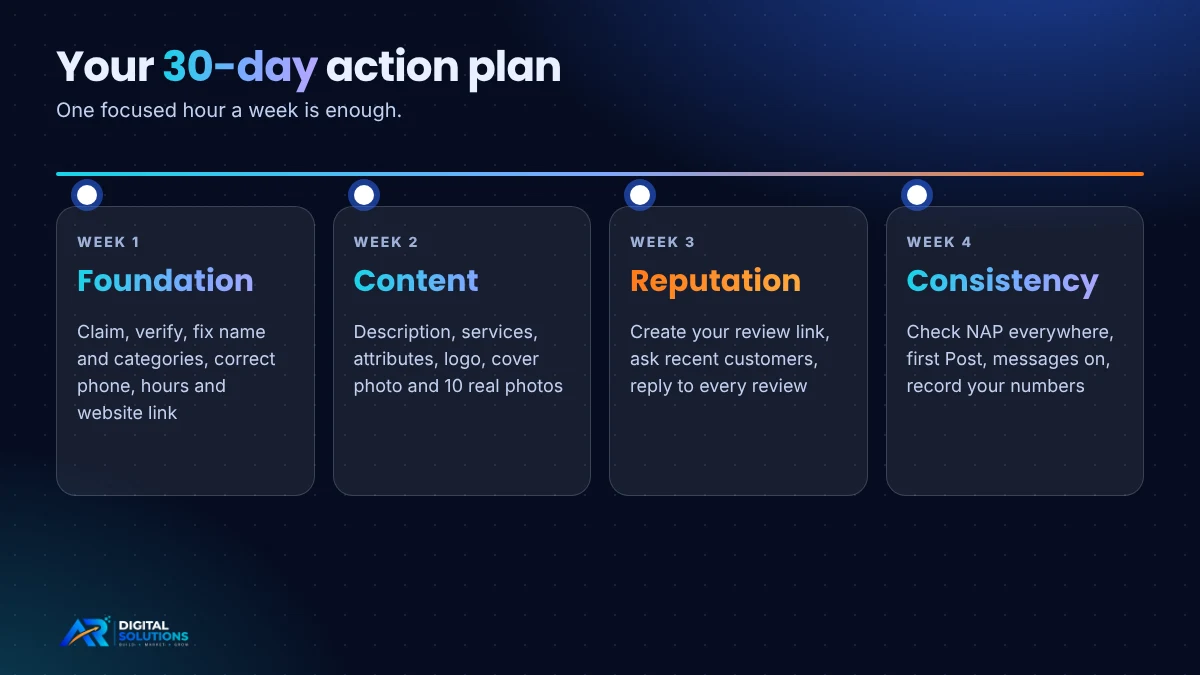
30-Day Google Business Profile Action Plan
If the full list feels like a lot, split it into four weeks. One focused hour each week is enough.
| Week | Focus | Tasks |
|---|---|---|
| Week 1 | Foundation | Claim and verify, fix the name, choose categories, write your NAP document, correct phone, hours and website link |
| Week 2 | Content | Write the description, list all services, add attributes, upload logo, cover photo and 10 real photos |
| Week 3 | Reputation | Create your review link, ask your last 10 happy customers, answer every existing review |
| Week 4 | Consistency | Check NAP on your website and top directories, publish your first Post, switch on messages, record your starting numbers |
Review Playbook: How to Ask and How to Reply
Most owners get more reviews simply by asking at the right moment: right after a job goes well, while the customer is still happy. Make it easy with a direct link from your profile, sent by text or email.
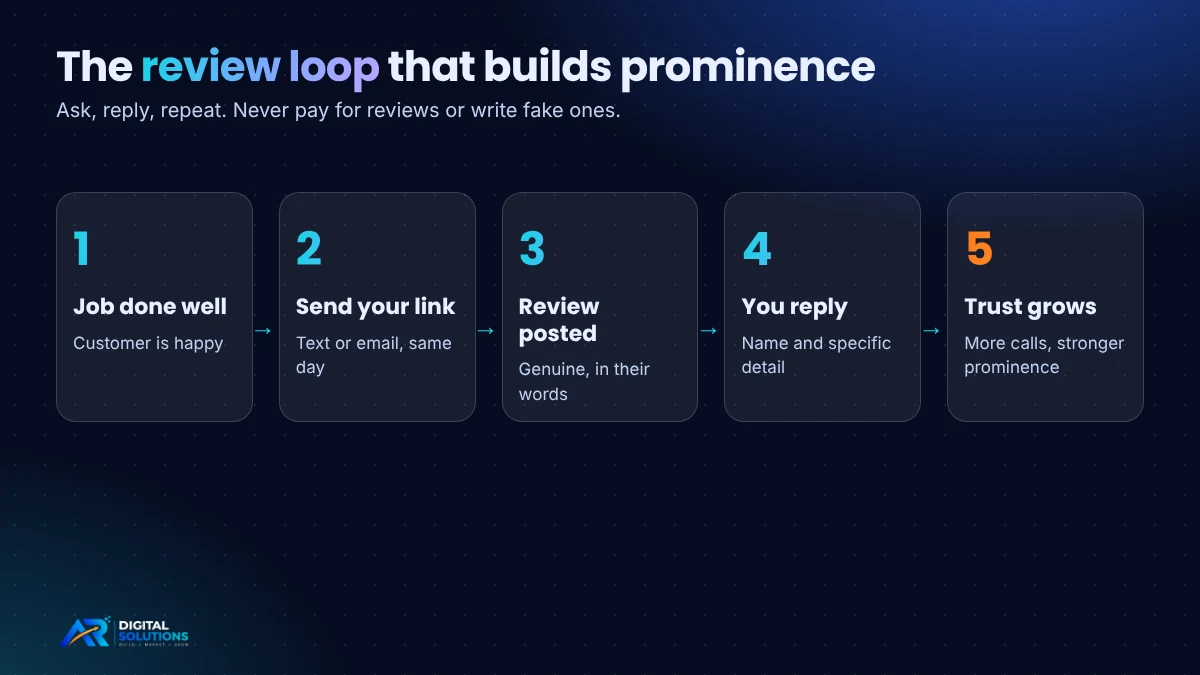
A short request you can send
“Hi [Name], thank you for choosing [Business] today. If you were happy with the work, would you leave us a short Google review? It takes about a minute and helps other people in [town] find us. Here is the link: [link]”
Replies to good reviews
Thank the person by name and mention the specific job: “Thank you, Karen. We were glad to get your furnace running before the cold snap. Call us any time.” Specific replies read as human, and they add natural words about your service.
Replies to bad reviews
Stay calm and keep it short: “We are sorry the visit did not meet your expectations, [Name]. We would like to put this right. Please call us at [number] so we can look into it.” Future customers read your reply as closely as the complaint.
What never to do
- Do not offer discounts or gifts in exchange for reviews.
- Do not write reviews for your own business or ask friends who never used it.
- Do not argue with a reviewer in public.
Photo Shot List by Business Type
Not sure what to photograph? Start with the table below. Phone photos in good light are fine. Show real work, real people and real places.
| Business type | Photos to take |
|---|---|
| Contractor, plumber, electrician | Before and after shots, crew with branded truck, tools on site, finished project |
| Restaurant or cafe | Outside entrance, signature dishes, dining room, staff, menu board |
| Salon, barber or spa | Reception, work stations, finished looks (with permission), products |
| Clinic, dentist or vet | Waiting room, treatment room, team portraits, parking and entrance |
| Retail shop | Storefront from the street, shelves, new arrivals, owner behind the counter |
| Office or agency | Building exterior with sign, team at work, meeting room, local community events |
Make sure the exterior shot lets a first-time visitor recognize your building from the road. It also helps customers find you faster.
Google Business Profile Tips for Canton, IL and Illinois
Small-town and regional markets work differently from big cities, and you can use that to your advantage.
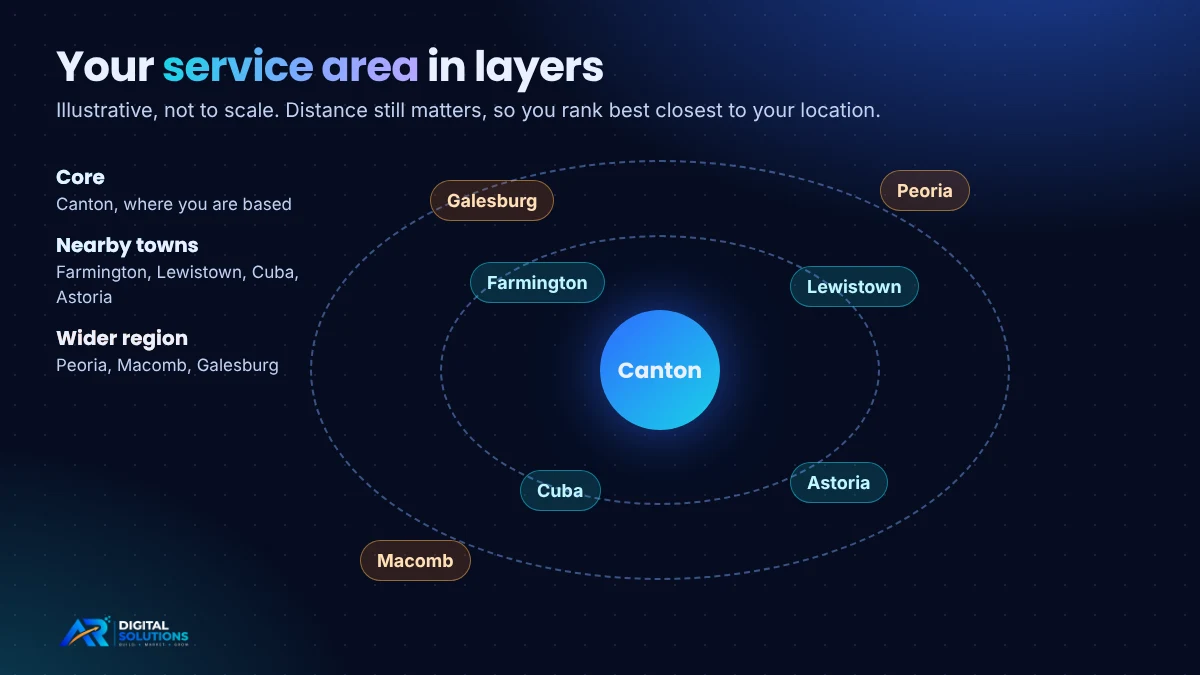
Cover the whole county. Fulton County is a group of small communities, including Canton, Farmington, Lewistown, Cuba and Astoria. People often search by town, so mention the towns you serve in your description, service list and posts, in the same way a customer would say them. If you serve customers at their location, set the profile as a service-area business and choose the towns you cover.
Think about nearby cities. If you also work in Peoria, Macomb or Galesburg, add them as service areas and create a page on your website for each area you want to be found in. Remember that distance still matters, so you will usually rank best closest to your actual location.
Use local proof. Photos of real jobs around town, and reviews that mention the town and the service, are far more convincing than generic content. Encourage customers to describe what you did and where.
Make your website support your profile. Create a clear page for each main service and area, and link to it from your profile. Our guides to local SEO in Canton, IL and SEO services in Illinois show how the profile, the website and your reviews work together. If you are still deciding what to budget, read how much SEO costs in Illinois.
Mistakes That Hurt Your Map Ranking
- Keywords or taglines in the business name. It can lead to suspension and helps far less than it used to.
- A broad primary category. Pick the most specific accurate option.
- Different phone numbers or addresses across the web. Fix every directory listing.
- One website link for every location. Point each profile to its own location page.
- Old hours. Update for holidays and seasons, so customers never arrive at a closed door.
- Unanswered reviews. Silence looks like neglect.
- Stock photos and no activity. Real, recent content wins trust.
- Creating duplicate profiles. One profile per location is the rule.
Does Your Profile Matter for AI Search and Voice Assistants?
More people now ask AI assistants and answer engines questions like “who is a good roofer near Canton?” We cannot see inside those systems, and no one outside them can promise how they choose businesses. What we can say is practical: they need clear, consistent facts about a business, and your profile, website and directory listings are where those facts live.
So the same habits help in both places. State plainly what you do and where you do it, keep your details identical everywhere, earn genuine reviews, and publish helpful answers on your own website. Our page on AI search optimization in Illinois goes deeper on this.
How to Track Results and How Long It Takes
Your profile’s performance section shows how people found you and what they did next: calls, direction requests, website clicks and messages. Write down your numbers in week 1, then compare every month. Google Search Console shows the web searches that bring people to your site.
Setup takes a few hours. Results take longer. Changes to categories and basic details can show up within days, but gains from reviews, photos and steady activity usually build over weeks and months. Nobody can promise a specific map position, and any agency that does is a red flag. Judge progress on calls and customers, not just rankings. Our guide to how long SEO takes shows the wider timeline.

Written by Arshad Rabana, founder of AR Digital Solutions. Arshad has spent five years in SEO and has worked with more than 50 clients. Last updated October 2026. Google changes its tools and rules from time to time, so check the sources below for the latest.
Google Business Profile FAQ
How do I rank higher on Google Maps?
Focus on the three factors Google names: relevance, distance and prominence. Complete every section of your profile, choose a specific primary category, collect and answer reviews, keep your name, address and phone number consistent online, and add fresh photos regularly. You cannot pay Google for a higher ranking.
How do I optimize my Google Business Profile for free?
A Google Business Profile is free. Claim and verify it, use your real business name, pick the right categories, add services, hours, photos and a clear description, and respond to reviews. Every step costs time, not money.
Can I put keywords in my Google Business Profile name?
No. Google’s guidelines say your name should match your real-world business name. Adding keywords or locations can lead to suspension and helps rankings far less than it once did.
How many reviews do I need to rank on Google Maps?
There is no magic number. Reviews should be genuine, recent and steady, and comparable to the businesses ranking above you. Look at the top three results in your category and aim to match their quality and pace of new reviews.
Do Google Posts help local rankings?
Google does not list posts as a ranking factor, but they keep your profile fresh, give customers useful information and can bring calls and clicks. Treat them as a trust and conversion tool.
How often should I update my Google Business Profile?
Check it at least once a month. Add photos, post an update, answer reviews and messages, and confirm your hours. Update right away when something changes, such as a phone number or holiday hours.
Can a business without a storefront have a Google Business Profile?
Yes, if you serve customers in person at their location, such as a plumber, electrician or cleaner. Set it up as a service-area business and hide your home address. Online-only businesses with no in-person contact do not qualify.
How long does Google Business Profile optimization take to work?
Setup takes a few hours. Basic changes can appear within days, while ranking gains from reviews, photos and steady activity usually build over weeks and months. No one can guarantee a specific position.
Ready to show up when local customers search?
Finish the checklist this week. If you would rather hand it to an expert, AR Digital Solutions sets up and manages profiles for businesses in Canton, IL and across Illinois.
Sources and Further Reading
- Google Business Profile Help: Tips to improve your local ranking
- Google Business Profile Help: Guidelines for representing your business on Google
- BrightLocal: analysis of Google’s December 2021 Vicinity update
- Semrush Keyword Magic Tool, US database, October 2026 (search volume figures)